
Recently, I have upgraded my Cisco 2650XM from 12.3 to 12.4 version; I use it to connect my PC to Internet, but something goes wrong.
After the upgrading, I have tried to downlad an ISO image but the speed was very low (about 300KB/s and not 700KB/s). Mhhh this is strange! I have begun the troubleshooting but no error, no warning message. So I have reset my current configuration, but nothing… no real improvement.
Fortunately my better friend (google hihihi) help me and I have found how to fix the ‘download speed’: define manually the ‘clockrate’ into the atm interface!
Ciscozine(config-if)#clock rate aal5 ?
        1000000
        1300000
        1600000
        2000000
        2600000 (default)
        3200000
        4000000
        5300000
        7000000

  <1000000-7000000>  clock rates in bits per second,
                     choose one from above

Ciscozine(config-if)#
In fact, if you don’t define the clock rate command into the atm interface, the IOS set to 2600000 this parameter. To force it, use the command ‘clock rate aal5’; in my case I use the command ‘clock rate aal5 7000000’.
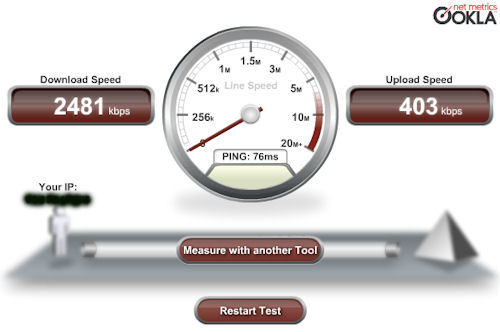
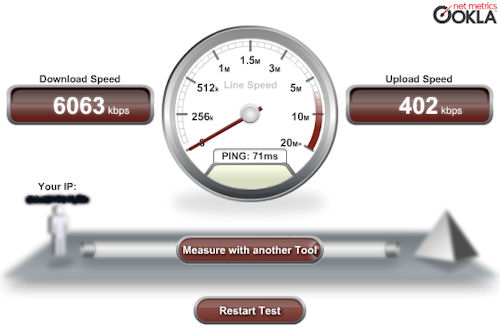
Below the download speed test guarantee the bandwith improvement.
Without clock rate command
With clock rate command
That’s all! I hope this tutorial can help you! ;)
